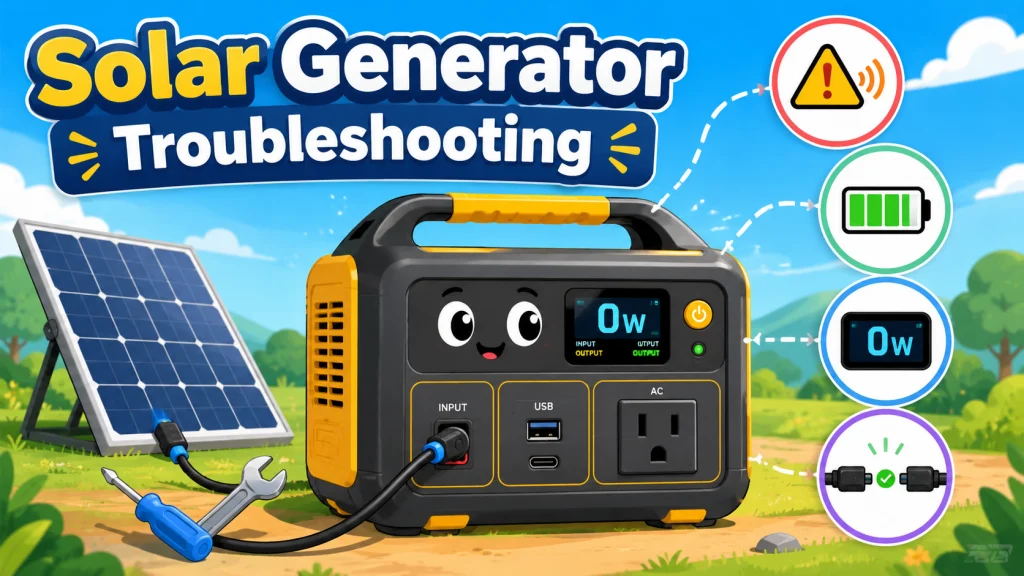
Most Solar Generator Problems Are Owner-Fixable, But Not All
One of the patterns I noticed most in my retail days was how quickly owners assumed hardware failure when something went wrong. Solar generator troubleshooting almost always starts somewhere different: the connections, the settings, and the operating conditions, not the unit itself. A panel reading zero watts became “the charge controller died.” A unit that wouldn’t power on became “the battery’s shot.” In the vast majority of those situations, the unit was completely functional. The problem was something upstream of the hardware, and it had a straightforward fix.
That said, real hardware failures do happen. A failed MPPT charge controller. A cell that has developed an internal fault. A BMS that stopped communicating with the rest of the unit. These are real failure modes, and when they occur they require warranty service, not more troubleshooting steps. The useful skill is knowing which situation you’re in before you spend an hour working through steps that won’t solve the actual problem.
The frame that cuts diagnostic time in half is this: if the problem appeared suddenly with no change in how you were using the unit, something may have failed. If the problem appeared gradually, or directly after a change in setup, cable, or operating environment, it’s almost certainly something you can fix. This isn’t a guarantee, but it’s a reliable starting point. The four sections below map the symptom you’re seeing to the right diagnostic path, and each one is covered in full in the dedicated guide linked from that section. If you’re still in the early stages of setup and want to understand how all of this fits together, the complete operational guide for solar generators walks through charging, panel setup, and long-term ownership from the beginning.
Solar Panel Connected, Unit Shows Zero Watts
This is the solar generator problem I’ve seen more times than any other, at the counter and in my own setup. The panel is connected, the sun is out, and the display reads zero. The frustrating part is that the setup usually looks completely correct. The connector is in. The panel is facing south. The unit is on. And yet, nothing.
The causes cover a wider range than most owners expect. A connector that didn’t fully seat despite appearing locked. A shadow from a tree branch or a roof edge falling across one corner of the panel, which can cut total panel output by 20 to 50 percent depending on the panel design. A third-party adapter cable wired with the positive and negative leads reversed, which produces a zero-watt reading at the input port without triggering a visible error. A battery that is already at 90 to 95 percent charge, where the charge controller is legitimately throttling input down toward zero as it approaches full. And one that catches a lot of experienced owners off guard: an in-app charging speed setting that has been accidentally dragged to its minimum, which throttles the charge rate to nearly nothing while the unit appears to be functioning normally.
Field Note: The app throttle situation was one of the most common fixes I did at the shop. Owners would bring in a unit and a panel, convinced something was wrong. I would connect both, see zero watts, open the companion app, find the charging speed slider sitting at its minimum, move it to full, and watch the reading jump to full panel output. The unit was never broken. The setting had been moved without the owner realizing it, often during an attempt to use a silent charging mode during the night before.
Working through the causes in the right order matters here because some steps require a multimeter and some don’t. Starting with the ones that don’t gets you to the fix faster in most cases. The full seven-step process, from the simplest cause to the most complex, is at the guide to solar generators not charging from solar panels. It covers the connector check, the shade audit, the polarity verification, and the point at which the problem has moved beyond owner territory.

This multimeter measures AC and DC voltage up to 600V, DC current up to 10A, and resistance up to 2MΩ, with additional modes for continuity, diode, and battery testing. A standout LED lead-alert system illuminates to confirm correct test lead placement, reducing the risk of measurement errors. The backlit LCD stays readable in low-light conditions, and the meter is built to survive a 6.6-foot drop for use in residential, commercial, and light industrial settings. A built-in kickstand, rear test lead holders, and an optional magnetic hanger allow for hands-free operation, and the kit arrives ready to use with test leads, safety caps, and batteries included.
Check On AmazonIf you click this link and buy, we earn a commission at no additional cost to you.
Unit Won’t Power On or the Outlets Are Dead
A solar generator that won’t respond to the power button is almost never actually broken. Four causes account for the vast majority of this symptom, and none of them require any tools or technical knowledge to address. The battery may have been depleted to zero and entered BMS protection mode, which prevents the power button from responding until the unit has been connected to AC power for 30 to 60 minutes. The battery may be too cold to operate, a protection behavior that resolves on its own once the unit warms to room temperature. A soft firmware lockout may be blocking normal startup, which a hard reset clears in most cases. Or the unit may be in UPS pass-through mode, which makes the display appear off unless a wall power connection is present.
These aren’t failures. They’re designed protective behaviors, and once you know which one you’re dealing with, the fix is straightforward. The part that trips owners up most often is the deep discharge recovery, because the unit appears completely unresponsive for the first stretch of wall charging. There’s no display feedback that something is happening. The instinct is to assume the unit is dead. It almost never is. After 45 minutes on AC, the BMS exits protection mode and the unit responds normally.
The “outlets are dead” variant is worth treating separately, because it sometimes has its own cause that’s independent of the power-on symptom. Most units activate their AC output and DC output independently via their own buttons. A unit can be fully powered on with a charged battery and still produce no output if the output wasn’t activated. I’ve seen this account for support calls that went on for 20 minutes before someone noticed the output button hadn’t been pressed. Check that first if the unit powers on but nothing comes out of the ports.
The four-cause breakdown with recovery steps for each situation is at the guide to solar generators not turning on, including the specific point at which a non-responsive unit has moved from recoverable to warranty territory.
Beeping, Alarms, and Error Codes on the Display
A solar generator that starts beeping during a power outage adds stress to an already stressful situation. Most beeps are diagnostic rather than catastrophic. The three causes that account for the majority of alarm events are overload (the combined draw from connected appliances has exceeded the unit’s continuous output rating), thermal protection (the battery temperature has exceeded its safe operating ceiling and the unit is protecting itself by shedding load), and low battery forced shutdown (the BMS is stopping operation before the battery reaches zero percent to prevent deep discharge damage). All three of these are protective behaviors. All three resolve once the underlying condition is corrected. The unit recovers on its own.
Error codes on the display require a different approach because each manufacturer uses its own code system. Some brands have companion apps that translate error codes into plain language while the unit is connected via Bluetooth, which makes the diagnosis faster than consulting a manual. Others rely on a code reference in the physical documentation. The principle that applies across all of them: look up the code before doing anything else. Cycling the power to clear a display error without knowing what triggered it can mask a developing fault that returns later under harder-to-diagnose conditions.
There is also a beep pattern that specifically indicates a loose connection at the solar input, and it’s easy to misread as something more serious. A single brief beep when first connecting a solar panel is normal MPPT initialization. A continuous beep during what should be a normal charging session usually means the connection has worked loose and needs to be reseated at both the panel end and the unit end. Disconnecting and firmly reconnecting the cable typically stops the alarm immediately.
The full guide covering beep patterns, what they mean, and how to approach solar generator error codes across different brands is at the guide to solar generator beeping and error codes.
Battery Draining Faster Than It Used To
This symptom is trickier than the others because it develops gradually and the most intuitive explanation, battery degradation, is actually the least likely cause during the first several years of regular use. LiFePO4 cells degrade slowly. At 500 charge cycles, a quality cell retains approximately 95 percent of its original capacity. The difference in runtime is barely noticeable at that level. When runtime drops noticeably sooner than that, one of the other three causes is almost always responsible.
The four causes worth working through in sequence are:
- Phantom loads from standby devices: Any device left plugged into the unit draws power even in standby. A smart device in sleep mode, a charger with nothing connected, or a small display can pull 5 to 15 watts continuously. Over eight hours overnight, that’s 40 to 120 watt-hours gone before you’ve run a single intentional load. The diagnostic test is simple: fully charge the unit, unplug everything from it, and measure how much capacity remains after 24 hours with nothing connected. If the battery drops more than 2 to 3 percent with nothing plugged in, the issue is more likely internal standby draw. If the drop only happens when devices remain plugged in, suspect phantom loads from those devices.
- Load changes over time: An appliance that drew 100 watts two years ago may draw 150 watts now. Refrigerator door seals wear down. Compressors work harder as coils accumulate dust. A fan motor that ran efficiently when new runs less efficiently after extended use. The unit has not changed. What it’s powering has, and the original runtime estimate no longer applies. Remeasuring actual appliance draws with a power meter almost always explains the gap.
- Cold ambient temperature: A LiFePO4 battery stored or used in colder conditions, especially around 40 degrees Fahrenheit, can deliver meaningfully less capacity than at room temperature. A unit that’s been sitting in an unheated garage in winter delivers roughly 80 to 85 percent of its rated capacity until it warms up. This is not permanent degradation. Bring the unit to room temperature and the full capacity returns.
- Actual battery degradation: After 1,000 to 2,000 cycles, LiFePO4 cells show measurable capacity loss. A controlled runtime test, running the unit at a known constant load and measuring actual hours against expected hours from the watt-hour formula, will show this definitively. If actual runtime is 15 percent or more below expected and the unit has high cycle counts, degradation is the likely cause.
Working through these in order, starting with the phantom load test and load remeasurement before concluding anything about the battery itself, is the most reliable diagnostic path. The full four-cause process with specific steps for each is at the guide to diagnosing reduced solar generator battery capacity.

This compact plug-in monitor tracks the energy consumption of any AC 115-volt appliance and displays real-time readings of volts, amps, and wattage at 0.2 to 2.0 percent accuracy. Its large LCD screen lets you calculate electricity costs by the day, week, month, or year, making it easy to spot energy-hungry devices and trim your utility bill. It is also compatible with inverters, adding flexibility for off-grid setups.
Check On AmazonIf you click this link and buy, we earn a commission at no additional cost to you.
Which Symptom Are You Seeing? Start Here
If you’re not certain which category your problem belongs to, the table below maps what you’re seeing to the most common cause and whether it’s typically owner-fixable. Most solar generator issues land cleanly in one of these four rows.
| What You’re Seeing | Most Common Cause | Owner-Fixable in Most Cases? |
|---|---|---|
| Panel connected, display shows 0W input | Loose connector, app setting throttle, partial shading, or near-full battery | Yes |
| Unit won’t power on, display is blank | Deep discharge BMS lockout, cold temperature, or firmware lockout | Yes |
| Beeping continuously or error code on display | Overload, thermal protection, or low battery forced shutdown | Usually yes |
| Shorter runtime than before | Phantom load, increased appliance draw, or cold temperature | Yes |
- Your model name and firmware version if the app shows it
- Battery percentage when the issue first appeared
- Where the unit was stored and the approximate ambient temperature at the time
- What was connected to the input and output ports when it happened
- The exact error code or beep pattern you observed
- Which troubleshooting steps you already tried and what the unit did at each one
The situations that fall outside “yes” are genuine hardware faults: a failed MPPT controller, a cell with an internal short, or a BMS that has stopped functioning correctly. These appear after all owner-fixable steps have been worked through, with the unit in a normal operating environment at room temperature, and the problem still present. That’s when warranty service is the right call. Getting to that conclusion systematically, rather than skipping to it out of frustration, saves time and prevents returning a unit that was actually fine.

Weighing just 23.8 lbs with a foldable handle, this 1,070Wh LFP power station delivers 1,500W of pure sine wave AC output with a 3,000W surge capacity, capable of running AC units, fridges, and electric pots. Its LFP battery sustains over 70% capacity after 4,000 cycles, translating to a lifespan of more than 10 years. Via the Jackery App, you can enable a full charge in as little as one hour, or switch to a whisper-quiet 30 dB overnight mode. Six output ports including two USB-C with 100W PD charging cover nearly any device simultaneously.
Check On AmazonIf you click this link and buy, we earn a commission at no additional cost to you.
Final Thoughts: Work the Problem Before Calling It a Failure
The instinct when something goes wrong with an off-grid power setup is to assume the hardware failed. What I’ve seen play out consistently, both at the counter and on my own homestead, is that assumption wastes a lot of time and occasionally leads owners to return units that were functioning correctly. A loose cable, a throttled setting, a unit that needs 45 minutes on wall power to come back from a full discharge, a phantom load draining the battery overnight. None of these are failures. They’re the normal troubleshooting territory of someone who actually uses their equipment.
What effective troubleshooting actually requires is working through the right steps in the right order for the specific symptom you’re seeing. Starting with what changed, then moving through the most common causes toward the less likely ones. The four guides linked below cover each symptom in full detail, with the steps laid out in sequence and a clear point where owner-level troubleshooting ends and warranty service begins. If you’ve worked through all the steps in the relevant guide, the unit is at room temperature, connected to a known-good power source, and still not responding as it should, then you have the documented testing that makes a warranty claim go faster when you contact the manufacturer.

Built with Grade A+ monocrystalline cells at 23.5% efficiency, this lightweight 9.48-pound panel folds down to 24 by 21 by 1.8 inches and sets up in seconds with adjustable kickstands that angle at 45 degrees to capture up to 25% more sunlight. The included 5-in-1 cable connects to 99% of popular power stations including EcoFlow, Jackery, Anker, and Bluetti models without extra adapters. A built-in controller adds one USB-C PD port and two USB-A ports including QC3.0 for charging devices directly. The ETFE-laminated surface carries IP67 waterproof protection, and the panel is backed by a 12-month warranty with lifetime technical support.
Check On AmazonIf you click this link and buy, we earn a commission at no additional cost to you.
Troubleshooting Guides by Symptom
Each guide below addresses one symptom category in full. They’re built around confirmed real-world causes and written to work through the most common fixes first, before getting into the less likely ones. Pick the one that matches what you’re seeing and start from the top.
| Guide | What It Covers |
|---|---|
| Solar Generator Not Charging From Solar | A seven-step checklist covering every confirmed cause of zero solar input, including the app throttle trap, cable polarity check, and when to use a multimeter to isolate the problem. |
| Solar Generator Not Turning On | The four causes of a non-responsive unit with specific recovery steps for each, plus the output button check that solves the “outlets are dead” variant before anything else. |
| Solar Generator Beeping and Error Codes | What the different beep patterns indicate, how to approach error codes depending on which brand’s app or manual applies, and when a beeping unit has crossed into warranty territory. |
| Solar Generator Running Out Faster Than Before | The four-cause diagnostic process for reduced runtime, including the phantom load overnight test and the controlled runtime test that distinguishes load changes from actual battery degradation. |
FAQs
🔌 Why is my solar panel connected but the unit shows 0 watts?
Start with the simplest causes first. Firmly disconnect and reconnect both ends of the solar cable until each connector clicks into place. Check that no part of the panel is in partial shade, including edges and corners. Then open the companion app and verify the charging speed setting hasn’t been accidentally dragged to its minimum. If those don’t resolve it, check whether the battery is already near full, since charge controllers reduce input significantly as the battery approaches 100 percent.
🔄 My solar generator won’t turn on at all. What should I do first?
Connect the unit to a wall outlet and leave it for 30 to 60 minutes without pressing anything. A battery that has been fully depleted enters BMS protection mode and won’t respond to the power button until it has received some charge. If the unit was stored somewhere cold, bring it to room temperature for an hour first, then try the wall charger. A hard reset by holding the power button for 10 to 15 seconds also clears soft firmware lockouts on most units.
🔔 What does continuous beeping from my solar generator mean?
Continuous beeping while appliances are running almost always means the combined load has exceeded the unit’s continuous watt output rating. Unplug the highest-draw appliance first. The unit typically auto-recovers once the load drops below its rated limit. If the beeping occurs with no appliances connected, check whether the solar input cable is firmly seated at both ends, since a loose connection during charging produces a similar alarm on some units.
🔋 Why is my solar generator not lasting as long as it used to?
Before assuming the battery has degraded, rule out phantom loads by leaving the fully charged unit unplugged from everything for 24 hours and checking how much capacity it retained. Then remeasure the actual power draw of your appliances, since things like refrigerators and fans draw more as components age. Cold ambient temperature also reduces LiFePO4 capacity temporarily. Actual battery degradation is slow and is typically not noticeable until after many hundreds of charge cycles.
🛠️ Can I fix my solar generator myself or does it need a technician?
The majority of solar generator problems are owner-fixable without any tools or technical background. Connection issues, app settings, cold temperature lockouts, overloads, and phantom loads all have straightforward fixes. Hardware faults like a failed MPPT controller or a defective battery cell do require warranty service, but these are significantly less common and typically appear only after heavy use or physical damage. Work through the diagnostic steps for your specific symptom before concluding it’s a hardware issue.
📋 When should I stop troubleshooting and contact warranty service?
Contact warranty service after you have worked through all the owner-fixable steps in the relevant guide, the unit is at room temperature and connected to a known-good power source, and the problem still persists under normal conditions. Document your steps before calling: what you tried, what the unit’s response was at each step, and what the operating conditions were. Warranty claims move faster when you can give the support team a clear picture of what has already been ruled out.