The Decision Is Not Which Unit. It Is Which Situation.
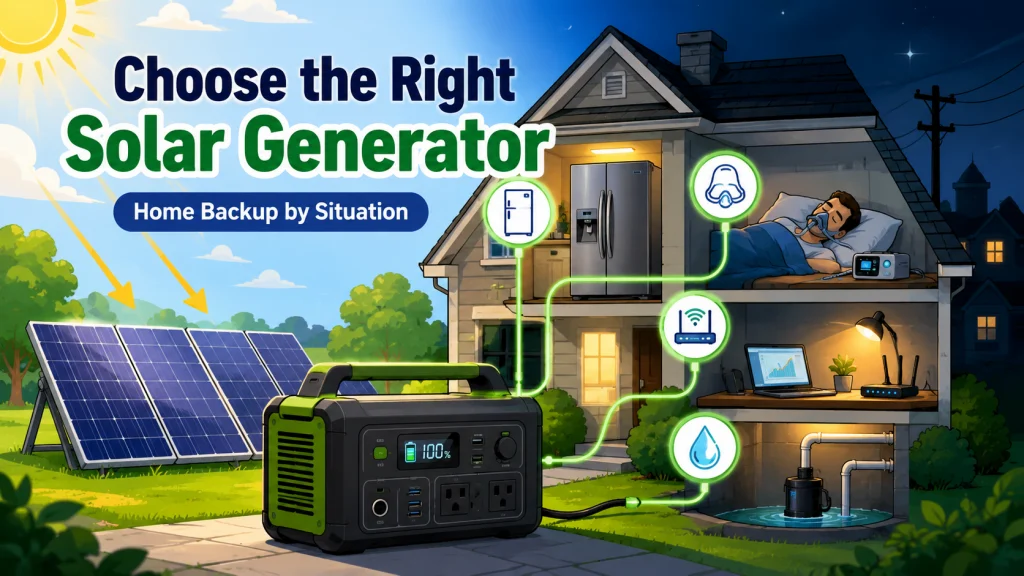
Choosing the best solar generator for home backup is not a brand decision. It is a use-case decision. A unit sized to keep a refrigerator running overnight is different from one built to carry a sump pump through a four-hour storm surge. A setup that powers a CPAP machine for a week without a recharge looks nothing like a setup designed to keep a home office online with zero interruption. The marketing tends to blur these distinctions, because the same capacity number gets used to sell the unit for all of them.
Running your fridge through a two-day outage is a solved problem. Running it through a five-day ice storm with three consecutive cloudy days in the middle is not. I have watched both situations play out across enough counter conversations to know that the difference is not which brand you buy. It is whether you matched the capacity class, the inverter surge rating, and the recharge strategy to your actual scenario before you paid for it. The four questions below are the ones I work through with any buyer before I point them toward a unit class.
Question One: How Long Do Your Outages Typically Last?
This is the first thing I ask, and it is also the question most buyers have not thought through concretely before they start looking at units. There is a meaningful difference between a four-hour summer thunderstorm outage and a four-day winter ice storm outage. A unit that handles the first one easily can fail the second without a recharge plan, even if the battery capacity looks right on paper.
For outages that run under 12 hours, the sizing math is relatively simple. Take your critical appliance’s average watt draw, multiply by the hours you need, add a 15 to 20 percent buffer for inverter losses, and that is your minimum usable capacity. A modern refrigerator at 150W average draw pulls roughly 1,800Wh over 12 hours. Add the 15 to 20 percent inverter buffer and you are at 2,070 to 2,160Wh. A 2,000Wh unit gets you through the night, but 2,200 to 2,500Wh is the range that leaves a real reserve rather than arriving at sunrise on fumes. What that same buyer may not realize is that even a properly sized battery becomes useless on night two of a cloudy multi-day outage if the unit has no solar recharge path or a weak one.
For outages that routinely run 24 to 48 hours or longer, you are not sizing a battery. You are designing a recharge cycle. The unit’s maximum solar input wattage, the number of peak sun hours your region gets in the worst months, and whether the unit supports simultaneous solar input and load output all become as important as the Wh number on the box. Buyers in hurricane-prone or ice-storm-prone regions who skip this planning tend to find out on day two that their backup plan only covered day one.
Field Note: One of the most consistent patterns I saw at the shop was buyers who sized correctly for one night and had no plan for the second. A 2,000Wh unit with 400W solar input capability will outperform a 3,000Wh unit with only 100W of solar input on a multi-day outage, assuming any sun at all exists between storm bands. The recharge path is not a bonus feature on the spec sheet. For anything beyond a single overnight event, it is the critical spec.

Starting at 2kWh and expandable to 6kWh with two additional batteries, this LFP station reaches 80% in just 43 minutes via combined AC and solar input. Its 3,000-cycle battery outlasts the industry average by 6 times and includes a 5-year service guarantee. With 2,400W output across 15 outlets and X-Boost pushing to 3,400W, it handles 99% of household appliances at a whisper-quiet 30 dB.
Check On AmazonIf you click this link and buy, we earn a commission at no additional cost to you.
Question Two: What Is the One Appliance You Cannot Afford to Lose?
This question separates most buyers into four groups, and each group has a different minimum requirement. The answer determines not just the Wh class you need, but the inverter watt rating, the surge watt rating, and in some cases the waveform type. Getting any of those wrong means the unit you paid for does not actually run the thing you bought it to run.
A refrigerator draws 100 to 200W running, but its compressor surges to 350 to 600W at startup. A unit whose inverter cannot clear that surge will trip every single time the compressor cycles on, which happens every 15 to 30 minutes. A CPAP machine without a humidifier draws 30 to 60W. At the lower end of that range, a 500Wh unit handles an eight-hour sleep with roughly half the battery remaining. At 60W, the math tightens considerably, which is one reason the DC bypass approach changes the calculation significantly for higher-draw machines. A sump pump is a different situation entirely: a standard 1/3 HP model can surge to 2,400 to 4,000W at startup, and the inverter surge rating is the only number that determines whether the unit can start it at all. A home office load of router, monitor, and laptop usually runs 100 to 200W total, which is modest on wattage, but the switchover gap matters in ways it does not for any of the other appliances.
Here is a practical reference for what each critical appliance actually requires:
| Critical Appliance | Running Watts (typical) | Surge Watts (startup) | Recommended Minimum Capacity |
|---|---|---|---|
| Refrigerator (modern, 18 to 25 cu ft) | 100 to 200W | 350 to 600W | 2,200 to 2,500Wh recommended, 2,000W+ continuous inverter |
| CPAP (without heated humidifier) | 30 to 60W | 60 to 120W | 500Wh |
| CPAP (with heated humidifier) | 60 to 80W | 120 to 160W | 700Wh |
| Sump pump (1/3 HP, 120V) | 800 to 1,200W running | 2,400 to 4,000W | 2,000Wh minimum, 4,500W+ surge inverter |
| Home office (router, monitor, laptop) | 100 to 200W total | Low | 500 to 1,000Wh, UPS-mode preferred |
The surge watt column is the one most buyers overlook because it is easy to miss on the spec sheet and almost never appears in the marketing materials. I have had buyers bring units back to the shop insisting they were defective because the sump pump kept tripping the inverter. The unit was working exactly as rated. The inverter just did not have enough surge capacity to start the pump motor. Checking the surge watt spec against your appliance’s startup requirement is not optional if you want the backup to actually work when you need it.

With a 3,600Wh LFP battery expandable up to 25kWh via extra batteries or smart generators, this station delivers 3,600W across 15 output ports, boosted to 4,500W with X-Boost or 7,200W when two units are paired. A full recharge takes just 1.8 hours via 240V or 2.8 hours with 1,600W of solar input. It may also qualify for the 30% Residential Clean Energy Tax Credit.
Check On AmazonIf you click this link and buy, we earn a commission at no additional cost to you.
Question Three: Does the Switchover Gap Matter for Your Setup?
When grid power drops, most solar generators take a brief moment before switching to battery output. For the majority of home backup uses, that gap is invisible and completely irrelevant. For two specific situations, it is a genuine problem that determines whether a unit is useful or not for the intended purpose.
If you work from home and your internet router or network equipment loses power for even half a second, you lose active VPN connections, calls drop, and any unsaved work in desktop applications can be gone. Some solar generators now include a near-zero transfer mode that addresses this, designed to behave like a proper UPS. Others take anywhere from 10 to 30 milliseconds. For a refrigerator, that gap means nothing. For a home office with a router, a NAS device, or a workstation that does not handle momentary interruptions gracefully, the switchover spec becomes a binary requirement rather than a nice-to-have feature. If this applies to your situation, you need to look for units that explicitly list UPS mode or near-zero transfer time, and verify the actual millisecond rating in the spec sheet rather than relying on marketing language alone.
Many CPAP users do not need UPS-mode switchover, since most machines restart quickly and retain therapy settings across a brief interruption. That said, if your specific device or clinical situation requires uninterrupted power, check with your equipment provider rather than assuming tolerance. Medical devices that are genuinely sensitive to power continuity need to be verified at the manufacturer level, not assumed based on general CPAP behavior. For refrigerators, sump pumps, lights, and device charging, a brief transfer gap normally does not matter, and paying for UPS mode to protect those loads is money that could go toward more battery capacity instead.
Question Four: How Will You Recharge When the Grid Is Down?
Battery capacity carries you through the first night. Recharge strategy determines whether the unit is still useful on day three. This is the planning step that separates a one-time overnight solution from a real outage backup, and it is where buyers who sized correctly on capacity still end up disappointed.
The two practical recharge sources during an outage are solar panels and your car’s DC port. AC wall charging is not available if the grid is down, which is why a unit’s maximum solar input wattage becomes a meaningful spec for any outage that extends past 12 hours. A unit that accepts 400W of solar input in a location that sees four usable sun hours per day can recover 1,600Wh during that window. Applied to a refrigerator running at 150W average, that recovery covers more than 10 additional hours of runtime. The math changes significantly in winter months and under heavy overcast, which is why buyers in northern climates or regions prone to multi-day winter storms should factor in their real seasonal sun hours rather than the annual average.
- Under 12-hour outages: solar recharge during the event may not be relevant. Battery capacity alone is the primary specification to size correctly.
- 24 to 48-hour outages: at least 200 to 400W of solar input capability is worth prioritizing. In winter with three or four usable sun hours, 400W of panels adds back 1,200 to 1,600Wh per day, which is enough to sustain a refrigerator and basic lighting through a second night.
- Outages beyond 48 hours: the unit’s maximum solar input wattage and how many panels it can accept in parallel become as important as the battery capacity itself. A unit capped at 150W of solar input cannot recover fast enough to sustain continuous refrigerator use across multiple nights, regardless of how large the battery is.
- Car DC charging as a fallback: most units accept 12V DC at 8 to 12 amps, adding roughly 100 to 140W of charging power. Running a car engine for one hour adds approximately 100 to 140Wh. It is a workable emergency backstop, not a primary recharge strategy.
If you are in a region where winter outages are the realistic concern, your usable solar window during an event may be three hours or fewer per day. In that scenario, sizing the battery somewhat larger than the single-night math suggests makes practical sense, because you cannot rely on recovering enough capacity between sunsets to fully cover the following night. That extra buffer compensates for days where the solar recovery falls short of the daily load.

Featuring 16BB N-Type cells at 25% efficiency, this panel outperforms standard 200W panels and folds down to backpack size at just 13.89 lbs, with a magnetic closure for tool-free setup. Three built-in ports including USB-C PD 45W, and two USB-A ports charge devices directly, while MC4 output connects to most power stations and 12V battery systems. Four adjustable kickstands offer 40, 50, and 60 degree angles, and IP65 rating plus UL 61730 certification ensure durability and safety backed by a 2-year warranty.
Check On AmazonIf you click this link and buy, we earn a commission at no additional cost to you.
Five Home Backup Situations: Which One Is Yours?
The four questions above narrow the field considerably. What follows routes you to the specific sizing guide for your situation. Each guide covers the exact capacity class, inverter requirements, surge watt math, and recharge strategy for that use case. If you are still working through whether a solar generator is the right backup approach for your home at all, the full comparison of solar generator types by household situation and budget covers the wider picture before you get into sub-situation sizing.
Keeping the refrigerator running.
This is by far the most common reason people buy a home backup solar generator, and it is also the situation where the most common sizing mistakes happen. The Wh requirement is only half the equation. The inverter’s surge watt rating is the other half, and it is the half that most 1,000Wh units fail. A compressor that surges to 500W on startup will trip an inverter rated for 600W surge before the unit even gets through the first cycle. The guide covers both numbers, the runtime formula with real refrigerator draw figures, and the minimum capacity class that actually handles the load without tripping: how to size a solar generator for running a refrigerator during an outage.
Running a CPAP machine overnight.
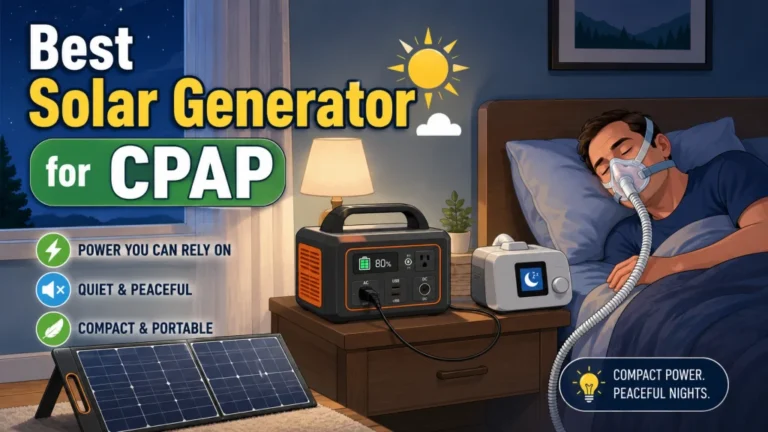
CPAP power requirements are lower than almost any other home backup application, which creates a different problem: most CPAP buyers overbuy significantly. A 30W CPAP without a humidifier pulls about 240Wh over an eight-hour sleep. A 500Wh unit handles that with more than half the battery to spare. There is also a DC bypass approach for compatible machines that reduces the draw by 20 to 30 percent by skipping the inverter entirely, which matters when sizing for a week of nightly use. The guide covers the runtime math with and without the humidifier, how to check whether your machine supports direct DC connection, and what the realistic capacity floor actually is: solar generator sizing for CPAP users, with and without humidifier.
Surviving a three-day outage.
This is where battery capacity alone stops being a sufficient plan. A three-day outage with limited sun between storm systems requires thinking in daily energy cycles rather than a single overnight draw. The guide works through the daily load budget, the recharge math for different solar input levels, and the hybrid approach that pairs a solar generator with a gas generator used only for fast AC top-ups between storm bands. That combination covers three days with significantly less gas consumption than a standalone gas generator while running silently through most of the outage: building a three-day outage strategy with solar backup.
Keeping the home office online.
If the switchover gap is your concern, this is the guide. It explains what near-zero transfer time actually means in practice, which unit categories include it, and how to verify the spec before purchasing. It also covers whether you actually need UPS mode for your specific setup or whether a standard solar generator switchover time is fine for what you are running, because there is a meaningful price difference between units with and without it: solar generators with UPS-mode switchover for home office and sensitive electronics.
Running a sump pump.
The surge watt requirement makes this the most technically demanding of the five home backup situations. A sump pump that trips the inverter on startup provides no protection at all, which is worse than no backup in one specific way: it gives false confidence until the moment it matters. The guide covers surge watt math for common pump sizes, the minimum inverter rating that handles the startup without tripping, and why most mid-range units in the 1,000 to 1,500Wh class cannot start a standard 1/3 HP pump regardless of their battery capacity: what a sump pump actually needs from a solar generator’s inverter.

At 39.5 lbs with 2,042Wh capacity and 2,200W output, this CTB-built station is 41% lighter and 34% smaller than typical 2kWh units. It charges from 0 to 80% in just 66 minutes via AC, operates at under 30 dB in silent mode, and switches to UPS backup in under 20 milliseconds. The LiFePO4 battery is rated for a full 10-year lifespan.
Check On AmazonIf you click this link and buy, we earn a commission at no additional cost to you.
Final Thoughts: What to Have Before You Start Comparing Units
The most useful thing you can do before opening a product page is write down five numbers that describe your actual situation. Without them, you are comparing headline specs against each other rather than against your own load. With them, a spec sheet answers the relevant questions quickly instead of leaving you comparing Wh numbers that may or may not reflect what your appliance actually needs.
Pro Tips: Before comparing any unit, write down: (1) your critical appliance’s running watts; (2) its startup surge watts; (3) your required headline Wh to cover your load after efficiency loss, which is roughly your load Wh divided by 0.85; (4) the solar input wattage needed to recover a full day of load overnight in your worst seasonal sun window; and (5) your transfer time requirement: irrelevant for a fridge or sump pump, near-zero if you are running a home office or clinically critical device.
The marketing rarely surfaces these five numbers prominently, because they narrow the field in ways that do not favor every unit. The five situation guides below all work from exactly these inputs. Start with the one that matches your critical appliance and use the list above as your filter when comparing specs.

This compact plug-in monitor tracks the energy consumption of any AC 115-volt appliance and displays real-time readings of volts, amps, and wattage at 0.2 to 2.0 percent accuracy. Its large LCD screen lets you calculate electricity costs by the day, week, month, or year, making it easy to spot energy-hungry devices and trim your utility bill. It is also compatible with inverters, adding flexibility for off-grid setups.
Check On AmazonIf you click this link and buy, we earn a commission at no additional cost to you.
Home Backup Solar Generator Guides by Situation
Each guide below works through the specific sizing math, inverter requirements, and recharge strategy for one home backup scenario. If your situation is not immediately obvious, start with the refrigerator guide or the three-day outage guide. Those two cover the most common setups and the sizing decisions that apply to nearly every home backup buyer.
| Guide | What it actually covers |
|---|---|
| Solar generator sizing for a refrigerator | Wh math for overnight runtime, why surge watt rating disqualifies most smaller units, and the compressor startup trip problem |
| Solar generator sizing for CPAP users | Realistic capacity requirements with and without the humidifier, plus the DC bypass method that reduces required Wh by 20 to 30 percent |
| Three-day outage strategy with solar backup | Daily energy cycle math, what solar input you need to sustain a fridge across multiple nights, and the hybrid top-up approach |
| Solar generators with UPS-mode switchover | Which unit categories include near-zero transfer time, how to verify the spec, and when you actually need it versus when you do not |
| Solar generator requirements for a sump pump | Surge watt math for common pump sizes and why the inverter rating, not the battery capacity, is the spec that determines whether it works |
FAQs
🔋 How many watt-hours do I need for home backup?
Figure out your critical load, not your whole house. A refrigerator at 150W average running for 12 hours is 1,800Wh. Add lights, device charging, and a router and you are looking at roughly 2,000 to 2,500Wh for a basic overnight setup. Most home backup buyers land in the 2,000 to 3,000Wh range once they price out what they actually need to run versus what they assume they need.
☀️ Can a solar generator recharge itself during a multi-day outage?
Yes, if the unit has enough solar input capacity and you have panels connected. A unit with 400W of solar input in a location that sees four usable sun hours per day recovers about 1,600Wh per day. In winter or under heavy overcast that number drops significantly, but even partial recovery meaningfully extends how many nights you can run critical loads without grid power.
❄️ Do solar generators work in cold weather during winter outages?
LiFePO4 batteries tolerate cold better than NMC lithium cells, but both chemistries lose usable capacity below freezing and most units will not accept a charge below 32°F without a battery management system that handles low-temperature charging. Store the unit indoors and run an extension cord to your appliances rather than leaving it in an unheated garage through a winter outage.
⚡ What is the difference between a solar generator and a UPS?
A traditional UPS is designed for fast switchover and short runtime, typically 5 to 30 minutes. A solar generator is designed for long runtime with solar recharge capability. Some solar generators now include a UPS mode that combines both: near-zero transfer time plus hours of battery runtime plus the ability to recharge from panels. If switchover speed matters for your setup, look for units that specifically list their transfer time in milliseconds rather than relying on the word “UPS mode” alone.
🏠 Can a solar generator power my whole house during an outage?
Not in any realistic sense. An average US home uses 28 to 30 kWh per day. Most solar generators hold 1 to 5 kWh. The math does not work for whole-home power. What a solar generator does well is covering one to three critical loads: your refrigerator, your medical equipment, your home office, or your sump pump. Whole-home backup requires a whole-home battery system, which is a different category of product entirely.
🔌 Do I need a transfer switch to use a solar generator for home backup?
No, not for standard portable use. You plug your appliances directly into the solar generator’s outlets. No transfer switch, no panel wiring, no electrician required. Some higher-capacity units do support optional transfer switch kits for powering a limited number of home circuits, but that is outside the scope of standard portable solar generator use and involves professional electrical installation.
🌧️ What happens if it stays cloudy for three days and I cannot recharge?
This is where the hybrid strategy matters. Pairing a solar generator with a gas generator used only for brief AC top-ups is the practical answer for extended low-sun scenarios. Running a gas generator for one to two hours can recharge a 2,000Wh solar generator to near full, then the solar generator runs silently for the next 12-plus hours. Two recharge cycles across three days uses very little gas while eliminating most of the generator noise and exhaust exposure.