The Best Solar Generator with UPS Capability Is Not the One with the Loudest Claim
If you search for the best solar generator with UPS function, you will find plenty of results listing which units support it. What those results almost never include is the switchover time in milliseconds, which is the only spec that tells you whether the UPS mode will actually keep your router or computer online. That number is sometimes buried in the spec sheet. Sometimes it is not published at all. The difference between a unit that transfers in 20ms and one that takes 80ms is the difference between your router staying connected and rebooting every time the grid flickers.
I sold enough of these units at the counter to watch this pattern repeat. A customer would come in specifically asking for a UPS replacement for their home office. I would ask about the switchover time. About half the time, neither of us could find a published figure for the unit they were considering. That absence is a useful signal on its own. Manufacturers who have tested and validated UPS performance publish the number. The ones who have not tend to describe the feature without specifying it.
For a broader look at which solar generator class fits different home situations before narrowing down, the guide on how to find the right solar generator for your actual situation gives the full routing framework. For UPS function specifically, the rest of this article covers what matters and what the real-world data shows.
What UPS Mode Actually Requires
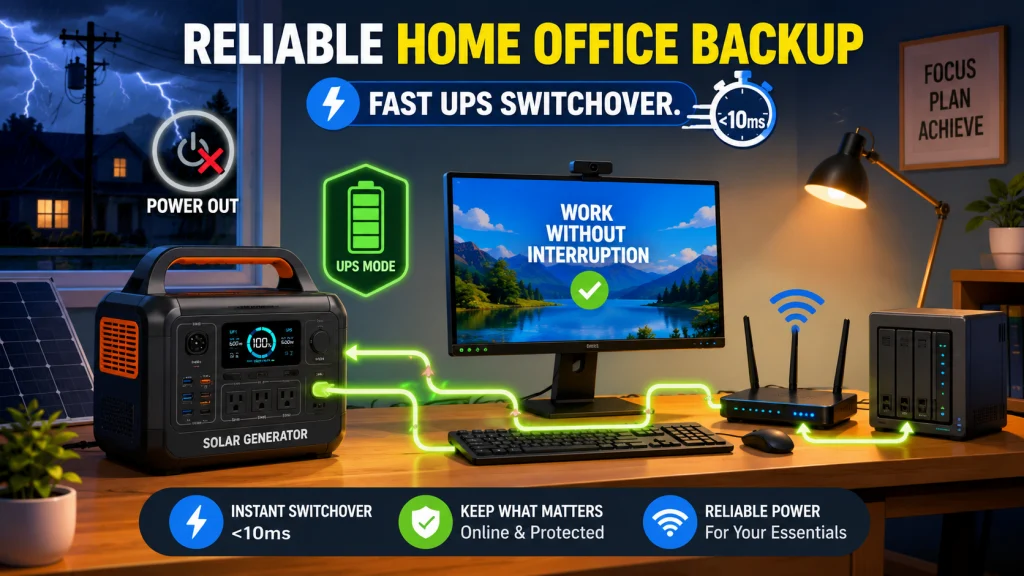
True UPS function has two parts, and both need to work correctly. The first is pass-through charging: while grid power is live, the unit charges its battery and simultaneously routes grid electricity to your connected devices without pushing current through the inverter. The battery sits in parallel standby, ready to take over instantly. The second part is the transfer itself: the moment the grid drops, the unit switches your devices to battery power fast enough that they do not register a power interruption.
The devices most sensitive to this transfer are routers, desktop computers, and network-attached storage systems. A modern router will reboot on a power gap as short as 50ms if it has no internal capacitance. A desktop computer shuts off entirely. A NAS mid-write can corrupt data. Laptops usually absorb short gaps through their own internal battery, which is why laptop users often do not discover a slow-switchover unit is failing until they connect something without that buffer.
The pass-through architecture matters separately from the switchover time. True hardware pass-through routes grid current directly to the output while the battery charges in a parallel circuit. When the grid drops, a relay or solid-state switch transfers the load. Some units instead route all power through the inverter continuously, so the battery is always cycling rather than sitting in standby. This generates heat, creates conversion losses, and in at least one confirmed case produces a unit incapable of delivering stable pass-through at all. The marketing language does not distinguish between these two designs.
Switchover Time: How to Read the Numbers
If a switchover time is published, here is how to interpret it. Under 20ms is the threshold I would treat as reliable for home electronics. Most modern routers and computers should not register a 20ms gap as an interruption. Near 0ms, which some units achieve through solid-state switching with no mechanical relay, gives you true UPS-grade transfer with no detectable gap. That is the standard a dedicated UPS device is built to meet.
At 30ms, you are in marginal territory. Some devices handle it, others do not. Whether a specific router reboots at 30ms depends on its own internal capacitors, which vary by model and age. I would not build a home office setup around that uncertainty. Above 30ms, the unit is not UPS-grade for electronics. Lights and fans tolerate a visible flicker without any consequence. A router or desktop computer does not.
| Switchover Time | What It Means for Routers and Computers | UPS-grade? |
|---|---|---|
| 0ms | No detectable gap. True uninterruptible transfer. | Yes |
| Under 20ms | Safe for most routers, desktops, and NAS systems. | Yes |
| 30ms | Marginal. Device-dependent. Some routers will reboot. | Borderline |
| Above 30ms | Routers and computers will likely detect the gap and reset. | No |
One related spec worth checking alongside switchover time is whether the unit throttles its AC input charge rate during pass-through mode. Some units limit their charging rate when pass-through is active to reduce heat. If you plan to recharge during an outage from a secondary source, the effective charge rate in UPS mode determines how long that process actually takes, and it is often slower than the normal AC input spec suggests.
Confirmed Switchover Data and Documented Real-World Failures
The gap in the existing SERP coverage on this topic is that no article puts confirmed working units and confirmed failures in the same place. The plan for this article is to close that gap. Here is what owner communities and purchasing forums have actually confirmed.
Confirmed Switchover Times
Three units have verified switchover specs from real owner and manufacturer data. The Jackery HomePower 3000 with ZeroDrain mode achieves near-0ms switchover, putting it in true UPS-grade territory for NAS and home office use. The EcoFlow DELTA 2 Max transfers at 20ms, which is within the reliable threshold for routers and desktops. The EcoFlow DELTA Pro comes in at 30ms, which puts it in the borderline category: sufficient for devices that tolerate a brief gap, not ideal for a NAS or any setup where the transfer reliability needs to be certain.
What that range tells you is that even among well-regarded units from established brands, switchover time spans from near-0ms to borderline in a single product generation. This is not a spec to assume without checking.
Documented Failures
Two specific failure patterns are confirmed in owner reports with enough detail to be useful before purchase.
The BLUETTI PS54 was documented in a Slickdeals thread from October 2024 as incapable of true pass-through. Rather than routing grid power directly to the output, the unit charges the battery on the DC side and simultaneously discharges through the inverter, cycling continuously while plugged in. The battery is never genuinely in standby mode. The result is constant heat generation, ongoing battery wear, and an output that does not behave as UPS-grade pass-through despite the marketing description. Multiple owners discovered this weeks into use, not at the point of purchase.
Field Note: At the shop, this was the failure mode that surfaced on return visits, not on day one. The customer would report the unit was always running warm even when the battery was full and it was plugged into the wall. Once I understood what was happening with the power routing, the pattern was immediately clear. It became one of the first things I checked for any unit a buyer wanted specifically for continuous UPS use.
The Anker Solix C1000 Gen 2 has a separate firmware-level issue documented in a Slickdeals thread from October 2025: if the unit runs fully to zero and is subsequently recharged via solar input, the Wi-Fi module does not automatically reconnect. For a user depending on the companion app for remote monitoring or automated outlet control, this means the unit does not resume normal operation after an unattended overnight drain. A manual power cycle restores it, but that defeats the autonomous behavior UPS mode is supposed to provide when you are not there to intervene.
Because both failure patterns appeared in more than one owner report in public forums, I would treat them as patterns worth checking before purchase rather than isolated one-off complaints. The takeaway is not that these brands are unreliable across their product lines. It is that UPS mode implementation quality varies significantly even within a reputable manufacturer’s catalog, and confirmed owner data is more useful than spec sheet language when evaluating this specific function.

Starting at 2kWh and expandable to 6kWh with two additional batteries, this LFP station reaches 80% in just 43 minutes via combined AC and solar input. Its 3,000-cycle battery outlasts the industry average by 6 times and includes a 5-year service guarantee. With 2,400W output across 15 outlets and X-Boost pushing to 3,400W, it handles 99% of household appliances at a whisper-quiet 30 dB.
Check On AmazonIf you click this link and buy, we earn a commission at no additional cost to you.
Solar Generator UPS vs Dedicated UPS: When Each One Makes More Sense
A question that comes up naturally when evaluating solar generators for UPS use is whether a traditional dedicated UPS device would be the better tool. The answer depends on the load, the required runtime, and whether rechargeability matters.
A dedicated UPS is built around one function: instantaneous transfer with protection-grade electronics. It handles transfer speeds that no solar generator currently matches for the price, often in the 2ms to 8ms range. It also typically includes voltage regulation and surge protection circuitry that most solar generator UPS modes do not replicate. For a NAS with sensitive drives, specialized equipment with manufacturer-specific backup requirements, or a server rack, a dedicated UPS is still the right first layer of protection. The limitation is runtime: most residential UPS units provide 5 to 30 minutes of battery, enough to gracefully shut down a device or bridge a short flicker but not enough to run a home office through a multi-hour outage.
A solar generator with UPS mode trades some of that transfer precision for runtime depth and rechargeable flexibility. A 2,000Wh unit can often sustain lighter home office loads, such as a router, modem, and laptop, for 8 to 12 hours. A desktop-heavy setup with a monitor and NAS will land closer to 6 to 8 hours depending on the draw. Either way, it is significantly longer than any residential dedicated UPS provides, and the solar generator recharges from panels the next day rather than requiring a new battery replacement cycle.
The setup that makes the most sense for a home office with sensitive equipment is sometimes both: a dedicated UPS between the NAS and the wall for protection-grade transfer, and a solar generator UPS behind it supplying the dedicated UPS with extended runtime. The solar generator keeps the dedicated UPS fed for hours. The dedicated UPS handles the transfer quality for the NAS. Each tool does what it is designed to do.

This line-interactive UPS delivers 1,500VA and 1,000W of pure sine wave backup power across 12 NEMA 5-15R outlets, with six battery-backed and six surge-only ports protecting computers, workstations, and network equipment. Automatic Voltage Regulation corrects fluctuations without draining the battery, extending its lifespan. A tilting color LCD displays live power and battery conditions, and the system ships with a 3-year warranty including the battery and a 500,000 dollar connected equipment guarantee.
Check On AmazonIf you click this link and buy, we earn a commission at no additional cost to you.
The Continuous Use Limitation That Does Not Appear on the Product Page
Running a solar generator in UPS mode continuously, plugged into the wall and powering a home office around the clock, puts a sustained demand on the battery and thermal management system that occasional backup use does not. The unit is simultaneously managing charge state, temperature, and pass-through routing for extended periods. That combination generates heat, and heat is the primary factor affecting LFP battery lifespan over time.
Some manufacturers include a maximum recommended continuous UPS duration in the manual, typically between 12 and 24 hours, with a recommended rest or partial discharge cycle before resuming extended pass-through. This is in the manual, not on the product page. I have seen buyers set up a 24/7 home office UPS, run it continuously for months, and then wonder why performance degraded ahead of what the battery warranty implied. The guidance was in the documentation the entire time.
For intermittent outage protection covering weather events or occasional grid instability, this is not a practical concern. A 12-hour outage in UPS mode is well within what a properly functioning unit handles. The concern applies specifically to buyers who plan to leave the unit in permanent pass-through operation indefinitely. If that is the intent, find the continuous UPS duration guidance in the manual before committing to that configuration.
If the real goal is surviving a multi-day outage rather than seamless transfer through a short one, the planning math shifts entirely toward recharge strategy. That calculation is laid out in the guide on what it takes to power through a 3-day outage with a solar generator.

This line-interactive UPS delivers 900W of true sine wave output across 10 outlets, with 6 battery-backed ports for PCs, NAS drives, and routers, plus coax and Ethernet surge protection for data lines. AVR corrects voltage fluctuations without touching the battery, and runtime reaches up to 73 minutes at 100W load. Backed by a 3-year warranty, user-replaceable battery, and a 150,000 dollar equipment protection policy.
Check On AmazonIf you click this link and buy, we earn a commission at no additional cost to you.
What to Check Before Buying: How to Size for Your Actual Load
The spec sheet alone is not sufficient for this decision. Based on what has gone right and wrong in real owner setups, here is the checklist I would work through before buying any unit specifically for UPS function:
- Switchover time in milliseconds: Should be a published spec. If it is not listed, email the manufacturer and ask directly. A specific number shows the unit has been tested for this function. No number usually means no confidence in the spec.
- Pass-through architecture: Look for “hardware pass-through” in the manual or spec documentation. If the documentation does not distinguish between hardware pass-through and inverter-cycle design, look for owner reports in purchasing forums before committing.
- AC input charge rate in UPS mode: Some units throttle charging rate during pass-through to reduce heat. Confirm this rate if you plan to recharge from a secondary source during an outage.
- Maximum continuous UPS duration: In the manual, not the product page. Some manufacturers cap recommended continuous sessions at 12 to 24 hours to protect battery health over time.
- Firmware update history: For any unit with a Wi-Fi module or companion app, check whether the manufacturer issues active firmware updates. The Anker Solix C1000 Gen 2 Wi-Fi failure is exactly the kind of issue that should be patchable in software. Active firmware support is a meaningful indicator of how the manufacturer handles post-sale problems.
On capacity sizing: the battery size you need depends entirely on your actual load. This is where I see buyers go wrong consistently. A 500Wh unit running a router plus a work desktop at 110 to 160W combined gives you roughly 2 to 3 hours of runtime before hitting 20 percent reserve, not 8 to 10 hours. The 10-plus-hour range only applies to much lighter loads, such as a router and modem without a desktop drawing 100-plus watts alongside them. The table below shows the realistic ranges by setup type.
| UPS Load Setup | Combined Draw | 500Wh Runtime* | Recommended Min Capacity |
|---|---|---|---|
| Router + modem only | 15-25W | ~10-18 hr | 300Wh |
| Router + modem + NAS | 40-70W | ~4.5-8 hr | 500Wh |
| Router + work desktop | 110-160W | ~2-3 hr | 700-1000Wh |
| Router + desktop + monitor + NAS | 150-250W | ~1.5-2.5 hr | 1000Wh+ |
*Estimated at 85% inverter efficiency with 20% battery reserve. Actual runtime varies by unit and ambient temperature.
The pattern is clear: for a UPS covering only a router and modem, switchover time matters far more than battery size. For a full home office with a desktop, a monitor, and a NAS, capacity becomes as important as the switchover spec. Size for what you are actually protecting, not what the marketing page implies is a typical use case.
If your setup is router and modem only, prioritize switchover time first. Battery size is secondary since even a modest 300Wh unit covers you for most of a night. If the setup includes a work desktop, the capacity question becomes as important as the transfer spec: size for 700Wh or more and verify the pass-through architecture. If it includes a NAS with data you cannot afford to corrupt mid-write, consider pairing a dedicated UPS directly in front of the NAS with the solar generator handling the runtime behind it. And if the goal is 24/7 continuous UPS operation, read the manual for thermal guidelines before committing to that configuration.
For the broader home backup decision, including how UPS mode fits into an overall outage strategy for a house rather than a single room, the guide on what to prioritize in a home backup solar generator gives the full framework.

This compact plug-in monitor tracks the energy consumption of any AC 115-volt appliance and displays real-time readings of volts, amps, and wattage at 0.2 to 2.0 percent accuracy. Its large LCD screen lets you calculate electricity costs by the day, week, month, or year, making it easy to spot energy-hungry devices and trim your utility bill. It is also compatible with inverters, adding flexibility for off-grid setups.
Check On AmazonIf you click this link and buy, we earn a commission at no additional cost to you.
Final Thoughts: Two Specs, One Purchase Decision
Every buyer in this category needs two things confirmed before selecting a unit: the switchover time in milliseconds, and whether the pass-through is hardware-based or inverter-cycle. The confirmed data shows a range from near-0ms to 30ms across well-regarded units, and at least two documented cases where the UPS mode does not function as advertised at all. None of that is visible from the product page.
The math on battery capacity matters too, and it is worth doing before purchase rather than after. A 500Wh unit running a router plus a desktop gives you roughly 2 to 3 hours, not a full workday. If the goal is a full workday of outage coverage for a home office, size accordingly and verify the continuous UPS duration guidance in the manual. Both the function spec and the capacity math are checkable before you commit.
For CPAP users, the UPS question intersects with different runtime math and a DC connection method that changes the calculation significantly. That is covered separately in the guide on solar generator backup for CPAP machines.

At 3,072Wh with 3,600W output and 7,200W surge capacity, this CTB-built station powers a household for up to 15 hours and keeps a fridge running 1 to 2 days. Its UL-certified UPS switches in under 20 milliseconds, LiFePO4 batteries last 4,000 cycles, and a full recharge takes just 1.7 hours via hybrid input. It is 47% smaller and 43% lighter than comparable 3kWh units.
Check On AmazonIf you click this link and buy, we earn a commission at no additional cost to you.
FAQs
⚡ What does UPS mode mean on a solar generator?
UPS mode means the unit charges from grid power while simultaneously running your connected devices, then switches to battery the instant the grid drops. The key spec is switchover time in milliseconds: under 20ms prevents a router or computer from registering the transfer as a power interruption.
🔌 Will a solar generator keep my router online during an outage?
Under 20ms is the safer target for routers and computers. Around 30ms is borderline and device-dependent: some routers handle it, others reboot. Above 30ms should not be treated as UPS-grade for a router or desktop. Check the published switchover spec before buying for this specific purpose.
💻 How long will a 500Wh solar generator run my router and desktop in UPS mode?
Roughly 2 to 3 hours at a combined router-plus-desktop load of 110 to 160W, accounting for inverter efficiency and a 20 percent battery reserve. The 8-plus-hour range only applies to lighter setups such as a router and modem without a desktop drawing 100-plus watts alongside them.
🖥️ Is a solar generator better than a dedicated UPS for a home office?
A dedicated UPS offers faster transfer and better protection-grade electronics for NAS and sensitive devices. A solar generator UPS offers far more runtime and rechargeability. For a home office with both a NAS and extended outage needs, using a dedicated UPS in front of the NAS and a solar generator behind it gives you both transfer quality and runtime depth.
🌡️ Why does my solar generator run warm even when fully charged and plugged in?
If the unit cycles battery charge and discharge simultaneously through the inverter rather than using true hardware pass-through, it generates more heat than standby operation. The BLUETTI PS54 is one reported example of this behavior in owner discussions, and the pattern is worth checking for any unit you plan to run in continuous UPS mode.
📶 My solar generator’s Wi-Fi stopped working after the battery ran to zero. What happened?
A confirmed firmware issue on the Anker Solix C1000 Gen 2 causes the Wi-Fi module to fail reconnecting after a full discharge followed by solar recharge. A manual power cycle restores it. Check the manufacturer’s firmware release notes for an update addressing this behavior.