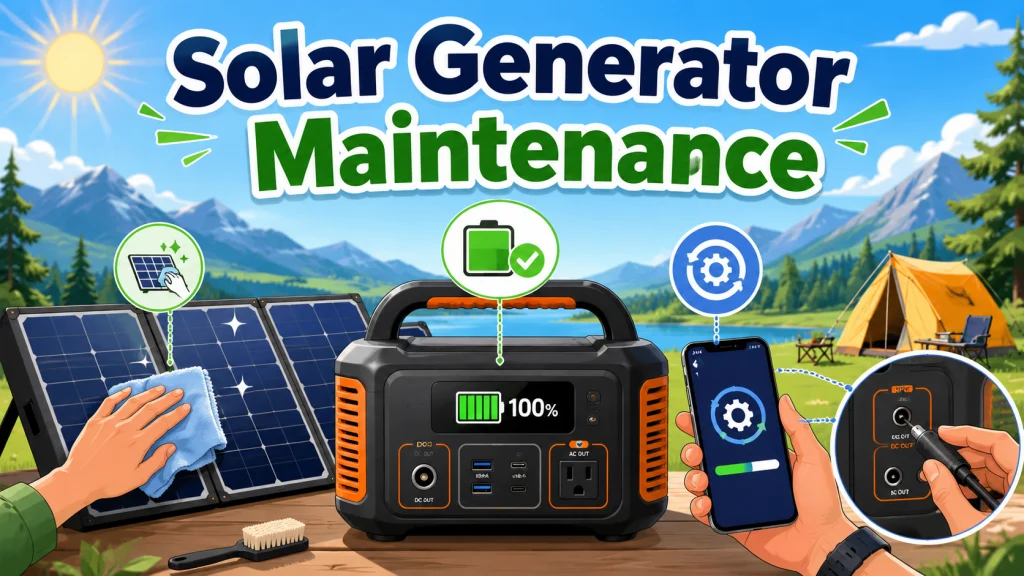
Solar Generator Maintenance Is Not What You Think It Is
Solar generator maintenance requirements are genuinely minimal, and that is not a marketing line. I have sold enough of these units to know the conversation that happens when a gas generator owner switches over. They want to know about the oil change schedule, the spark plug interval, the carburetor cleaning procedure. When I tell them there is none of that, the reaction is usually skepticism, sometimes mild disbelief. It takes a moment to land that a unit with no combustion engine, no fuel system, and no mechanical moving parts in the traditional sense simply does not need any of that.
What remains after stripping out the inapplicable advice is a short list of tasks that genuinely matter. Three areas, done at reasonable intervals, and the unit stays in good working order for the long term. The problem is that most of what passes for solar generator care tips online is either copied from gas generator maintenance schedules or lifted from lead-acid battery guides. Neither applies to the LiFePO4 battery chemistry used in most quality units on the market today. Knowing what to filter out is half the job.
If you want the full picture of ownership beyond just maintenance, from charging methods through panel setup and into long-term operation, the complete guide to operating a solar generator from first charge to long-term ownership covers where maintenance fits in the bigger picture.
Battery Health Habits: The Most Important Maintenance Area
Battery health habits matter more than anything else on this list, and they are also the area with the most noise around them. There is a lot of advice online that applies to older battery chemistries and not to LiFePO4 cells. The real requirements are narrower than most people expect, and getting them right is not complicated.
Three things actually matter for LiFePO4 battery health. The first is the most straightforward: do not drain the battery to zero regularly. Every deep discharge below 20 percent accelerates cell degradation over time. Use the unit down to 20 to 25 percent, then recharge. Most owners understand this one intuitively after reading a few buyer guides, but it bears repeating because the habit of running a battery completely flat before recharging it is deeply ingrained from older devices.
The second requirement is storage top-ups. LiFePO4 self-discharges slowly, at roughly 1 to 3 percent per month, but a unit sitting at near-zero charge for six months or more can experience permanent capacity loss when the battery drops below the BMS protection threshold and stays there. Every three months is the right interval. Charge to 50 to 80 percent before storing, then check and top up at three-month intervals. It takes ten minutes and prevents the kind of damage that has no fix.
The third requirement is the one that surprises people most: do not charge the unit in freezing temperatures. Charging LiFePO4 below 32 degrees F causes a specific type of internal damage called lithium plating that reduces capacity permanently. Most units block charging automatically when the battery temperature is too low, but the BMS protection only activates if the unit is correctly reading battery temperature. If the unit was stored in a cold garage overnight and feels cold to the touch, bring it inside and let it reach room temperature before connecting the charger.
Field Note: The lead-acid myth problem came up constantly at the shop. Customers who had done their research would come in asking about monthly calibration cycles and equalization charges for their new unit. That advice applies to flooded lead-acid batteries, not LiFePO4. Running monthly 0 to 100 percent discharge and recharge cycles on a LiFePO4 unit adds to the cycle count without providing any measurable benefit to battery health. The source of this confusion is almost always articles that were copied from older battery maintenance guides without checking which chemistry the advice was written for. If you read a solar generator maintenance guide that recommends calibration cycles or equalization charges, the information is not applicable to your unit.
The three actual requirements, and the full context for each, including the storage schedule, the temperature protection limits, and what the BMS does and does not protect against, are covered in the complete guide to solar generator battery maintenance and what LiFePO4 actually needs.

This 1kWh LFP battery station charges from 0 to 80% in just 50 minutes via AC input, and its LiFePO4 chemistry delivers a 3,000 plus cycle lifespan that is roughly 6 times longer than standard lithium batteries. Capacity is expandable up to 3kWh with additional batteries, making it well suited for camping, RVs, or off-grid living. Its 1,800W output powers across 15 outlets, handling around 90% of household appliances, and accepts up to 500W of solar input for clean, fuel-free charging. The package includes a 5-year customer service guarantee.
Check On AmazonIf you click this link and buy, we earn a commission at no additional cost to you.
Panel Cleaning: Quick to Do, Easy to Overlook, and It Costs Output
A dirty portable solar panel can lose 5 to 25 percent of its output. That is not a theoretical number. Light dust and pollen knock off 5 to 10 percent. Heavy contamination, dried bird droppings, mud, or a thick pollen coating after spring storage, can reduce output by 15 to 25 percent. On a 200W panel running at 75 percent real-world efficiency, that is a baseline of around 150W. Add a heavy layer of grime and you might be pulling 120W or less. Across a full day of charging, that gap adds up to meaningful lost capacity.
The cleaning process itself takes about five minutes. Soft cloth or sponge, mild soapy water, wipe the glass surface gently, rinse with clean water, wipe dry. That is the complete process. What damages panels is abrasive materials that scratch the anti-reflective coating, harsh chemicals that attack the encapsulant, and high-pressure water that can force moisture into the seams of foldable units. None of those are necessary. Soap, water, and a soft cloth are sufficient.
Foldable portable panels have one specific need that fixed panels do not: attention to the hinge crease. Debris accumulates in the fold between sections in a way that a simple surface wipe misses entirely. A soft brush clears it before you wipe the surface. A clean paintbrush works well if you do not have a dedicated soft brush on hand. While cleaning, it is worth running a visual inspection of the cable jacket and junction box at the same time. A crack in the glass, a damaged cable jacket, or a compromised junction box needs to be caught before the panel goes back into active use, not during an outage when you need it working. Frequency depends on use conditions: clean after every two to three outdoor uses, or whenever visible debris is present. Clean before storing and before taking the unit out again after storage. The full cleaning process, including what to inspect, is covered in the guide to cleaning solar generator panels to preserve output over time.

Built with 16BB N-type monocrystalline cells at 24% plus conversion efficiency, this bifacial panel captures direct and reflected light on both sides for superior output. It charges phones, tablets, and power stations simultaneously via two USB-A QC3.0 ports, a USB-C port, DC output, and a 3-in-1 MC4 connector covering XT60, Anderson, and DC5521. IP65 protection and a 14 to 149 degree Fahrenheit operating range ensure reliable performance across all outdoor conditions.
Check On AmazonIf you click this link and buy, we earn a commission at no additional cost to you.
Firmware and Port Maintenance: Two Tasks Most Owners Never Think About
Most solar generator owners have never checked for a firmware update. The unit ships, gets plugged in, gets used, and sits on the shelf between uses with the same firmware it had on the day it arrived. This is a problem because modern solar generators from major manufacturers receive firmware updates that address real issues: BMS behavior anomalies, charging logic bugs, WiFi connectivity problems after specific use sequences, and performance improvements that come from manufacturers finding out how units actually behave at scale in the field. The owners who benefit from those fixes are the ones who check for updates. Everyone else is running a version that may have documented bugs already patched for other users.
Checking takes about two minutes. Open the brand app, connect to the unit via Bluetooth, navigate to device settings or device information, and see whether the app shows an available update. Run the update when the unit is above 50 percent charge and connected to AC power if possible. Do not run a firmware update during an active outage when you may need the unit. A failed or interrupted update can leave the unit in a non-functional state. Monthly checks, or a check before each outage season, is a sufficient interval for most owners.
Note: Some documented bugs across various models involve the unit becoming unresponsive or dropping connectivity after a full discharge followed by a specific recharge sequence. This class of issue is exactly what firmware updates address. If the unit has developed a repeatable odd behavior that was not present when new, check for a firmware update before assuming hardware failure.
Port and connector maintenance gets even less attention than firmware, and it matters for a practical reason. Solar input ports and DC output connectors accumulate grit and oxidation over time, particularly for units used outdoors. A small amount of debris packed into a solar input port or inside a barrel connector end can cause intermittent charging, a 0-watt solar input reading, or a connection that feels seated but is not making full contact. The fix is straightforward: compressed air or a dry cotton swab clears the port. Never insert anything metallic into a live port. AC outlet covers should also be checked for trapped moisture after outdoor storage or use in humid conditions. Full steps for both firmware updates and port cleaning are covered in the guide to solar generator firmware updates and port maintenance.
A Realistic Portable Solar Generator Upkeep Schedule
Over time, I have watched solar generator owners fall into two patterns: the ones who over-maintain (running pointless calibration cycles, cleaning panels after every single use regardless of conditions) and the ones who under-maintain (never checking firmware, never cleaning the port, letting the battery sit at zero for months). A realistic schedule avoids both.
| Task | Frequency | Notes |
|---|---|---|
| Battery storage top-up | Every 3 months if not in regular use | Store at 50 to 80 percent; top up at 3-month intervals |
| Panel surface cleaning | Every 2 to 3 uses, or when visible debris is present | More frequent in dusty areas or high bird activity |
| Panel hinge crease cleaning | Same interval as surface cleaning | Soft brush to clear debris from fold sections before wiping |
| Panel damage inspection | Each cleaning session | Check glass, cable jacket, and junction box while cleaning |
| Firmware update check | Monthly or before each outage season | Via brand app; run with unit above 50 percent charge |
| Port and connector inspection | Monthly or when charging rate drops unexpectedly | Compressed air or dry cotton swab; no metallic tools in live ports |
| Functional load test | Monthly (optional but useful) | Run a known load for 15 to 20 minutes to verify normal operation |
In practice, most of these tasks are triggered by conditions rather than a strict calendar. The panel gets cleaned when it is visibly dirty. The firmware gets checked before the outage season or whenever the unit behaves oddly. The port gets a look when solar input is lower than expected. The only task that benefits from a fixed interval is the storage top-up, because a battery sitting uncharged does not announce that it is approaching the danger threshold. Three months is the interval to write down.

This Class 1.0 certified monitor tracks volts, amps, watts, frequency, and cumulative kilowatt-hours at 0.1W precision across any 110 to 130V appliance up to 15A and 1,950W. Customizable electricity rates let you calculate real-time running costs, and 90-day battery-backed memory preserves usage history through outages. A wide-angle backlit LCD, overload protection, and single-outlet footprint make it practical anywhere in the home.
Check On AmazonIf you click this link and buy, we earn a commission at no additional cost to you.
What You Can Safely Ignore
Knowing what not to do is as useful as knowing what to do. Several recommendations that appear regularly when people research how to maintain a solar generator either do not apply to LiFePO4 chemistry or are carryovers from gas generator maintenance schedules that never applied to battery-based systems.
- Monthly calibration cycles (full 0 to 100 percent discharge and recharge): A lead-acid battery procedure. It adds cycle count to a LiFePO4 battery with no measurable benefit to cell health or capacity accuracy. LiFePO4 BMS systems handle state-of-charge estimation internally. Skip it.
- Equalization charges: A flooded lead-acid procedure for equalizing cell voltages across a battery bank. Not relevant to sealed LiFePO4 units, which handle cell balancing internally via the BMS at the cell level.
- Storing the unit at 100 percent charge at all times for readiness: For short-term emergency preparedness where an outage could happen any day, 100 percent is fine. For months-long storage between uses, 50 to 80 percent reduces sustained high-voltage stress on the cells. Top up to 100 percent before a forecast outage, then return to a lower level for storage.
- Oil changes, filter replacements, and spark plug checks: These apply to gas generators. A solar generator has none of these systems. Nothing to service here.
- Distilled water top-ups: Applies to flooded lead-acid batteries with accessible cell caps. LiFePO4 cells are sealed. There is no maintenance access and no water to add.
- Frequent discharge cycles to “keep the battery active”: Unnecessary for LiFePO4. Sitting at a moderate charge level during storage is not harmful. Adding discharge cycles for no functional reason only moves the unit closer to its cycle life limit.
The pattern is consistent. Bad maintenance advice for solar generators almost always traces back to one of two sources: content written for lead-acid battery systems, or content written for gas-powered generators. Neither applies here. The actual maintenance requirements for a LiFePO4 solar generator are a fraction of what either of those technologies demands, and recognizing which advice to discard is most of the work.
The 3 Maintenance Mistakes That Actually Shorten Solar Generator Life
Most of the maintenance mistakes I have seen do not come from neglecting complicated tasks. They come from three specific habits, each of which is easy to fall into and each of which has a real consequence for long-term performance.
The first is letting the battery sit near zero for months. This is the most common one. The unit gets used during an outage, drains down to 10 or 15 percent, and then goes back on the shelf. Months later, the owner goes to use it and finds it either will not power on, charges very slowly, or has lost a noticeable chunk of its original capacity. LiFePO4 handles deep discharge better than older battery chemistries, but “better” does not mean immune. A battery at near-zero charge for an extended period can drop below the BMS protection threshold in a way that causes permanent capacity loss. The fix is a three-month top-up habit. It is not complicated. It is just easy to skip when the unit is not in active use.
The second is applying lead-acid maintenance logic to a LiFePO4 unit. This one shows up most often as monthly calibration cycles, running the battery from full down to zero and back up again as a routine procedure. The logic behind it comes from older lead-acid systems, where full discharge and recharge routines were sometimes used to help battery monitors estimate state of charge more accurately. It does not apply to LiFePO4. The BMS on a LiFePO4 unit handles cell balancing and state-of-charge estimation internally. Running unnecessary full discharge cycles only adds to the cycle count, which moves the unit measurably closer to the end of its rated cycle life with nothing to show for it.
The third is ignoring ports and firmware until something fails. A solar input port that has accumulated grit over months of outdoor use does not announce the problem. It just quietly causes intermittent charging or a 0-watt solar reading that looks like a panel problem. Firmware that has not been updated does not blink a warning light. It just continues running with documented bugs that other owners had fixed months ago. Neither of these tasks takes more than a few minutes. What they require is the habit of checking before something goes wrong, not after.

Each 10oz can delivers powerful compressed air to clear dust from keyboards, electronics, cameras, and workstations without leaving residue. The 100% ozone-safe formula includes a bitterant to discourage inhalant abuse, making it a responsible choice for labs, repair benches, and home offices. Sold in a convenient 3-pack for lasting supply.
Check On AmazonIf you click this link and buy, we earn a commission at no additional cost to you.
Final Thoughts: A Short List, Done Consistently
What causes real problems with solar generator longevity is rarely neglecting a complex maintenance regimen. It is the specific habits that do matter being quietly skipped: a battery stored at zero charge for eight months, a solar input port full of grit that turns a 200W panel into a 0-watt reading, a firmware update that would have resolved a BMS bug sitting uninstalled while the unit continues misbehaving. The list of things that actually require attention is short. The list of things that do not is longer. Done at the right intervals, the whole regimen takes under an hour per year. The three guides below go deeper on each area.

Weighing just 23.8 lbs with a foldable handle, this 1,070Wh LFP power station delivers 1,500W of pure sine wave AC output with a 3,000W surge capacity, capable of running AC units, fridges, and electric pots. Its LFP battery sustains over 70% capacity after 4,000 cycles, translating to a lifespan of more than 10 years. Via the Jackery App, you can enable a full charge in as little as one hour, or switch to a whisper-quiet 30 dB overnight mode. Six output ports including two USB-C with 100W PD charging cover nearly any device simultaneously.
Check On AmazonIf you click this link and buy, we earn a commission at no additional cost to you.
Maintenance Guides in This Series
Each of the three maintenance areas has its own dedicated guide. If one area is more relevant to where your unit is right now, such as a battery that has been sitting in storage, a panel that has not been cleaned in months, or a unit with odd behavior you have not been able to explain, start with the guide that matches the situation.
| Guide | What It Covers |
|---|---|
| Solar Generator Battery Maintenance | The three actual LiFePO4 requirements, which lead-acid advice to discard, and the storage schedule that prevents permanent capacity loss |
| How to Clean Solar Generator Panels | How dirt reduces output by percentage, the correct process for foldable panels including hinge crease cleaning, and what to inspect while you are at it |
| Solar Generator Firmware and Port Maintenance | How to check for and run firmware updates safely, and how to clean solar input ports and DC connectors before grit causes charging problems |
FAQs
🔋 How often should I charge my solar generator when not in use?
Every three months if the unit is in long-term storage. LiFePO4 self-discharges at roughly 1 to 3 percent per month, which is slow, but a unit left at near-zero charge for six months or more risks permanent capacity loss. Store at 50 to 80 percent and top up at three-month intervals.
🧰 Do solar generators need regular maintenance like gas generators?
No. There is no oil, no spark plugs, no carburetor, and no fuel stabilizer. Active maintenance comes down to battery storage habits, panel cleaning when visible debris is present, and firmware updates via the brand app. All three tasks combined take under an hour per year at reasonable intervals.
📱 Do I actually need to update my solar generator firmware?
Yes, and most owners never do. Manufacturers push updates that address real BMS bugs and performance issues discovered through large-scale field use. Check via the brand app monthly or before each outage season. Run updates above 50 percent charge and connected to AC power when possible.
🌡️ Can I charge my solar generator in cold weather?
Not below 32 degrees F. Charging LiFePO4 in freezing temperatures causes lithium plating, a permanent form of internal damage. Most units block charging automatically via the BMS when the battery is too cold. If the unit has been stored in a cold garage, let it reach room temperature before charging.
⚡ Does keeping my solar generator at 100 percent charge damage the battery?
For short-term emergency readiness, 100 percent is fine. For long-term storage between uses, 50 to 80 percent is better because sustained high-voltage storage adds cumulative stress to LiFePO4 cells over time. Charge to full before an expected outage, then return to a lower level for regular storage.
☀️ How much does a dirty solar panel actually reduce output?
Light dust and pollen reduce output by roughly 5 to 10 percent. Heavy contamination such as dried bird droppings or mud can reduce output by 15 to 25 percent. On a 200W panel, that is a meaningful daily charging loss. Clean with a soft cloth and mild soapy water when visible debris is present.