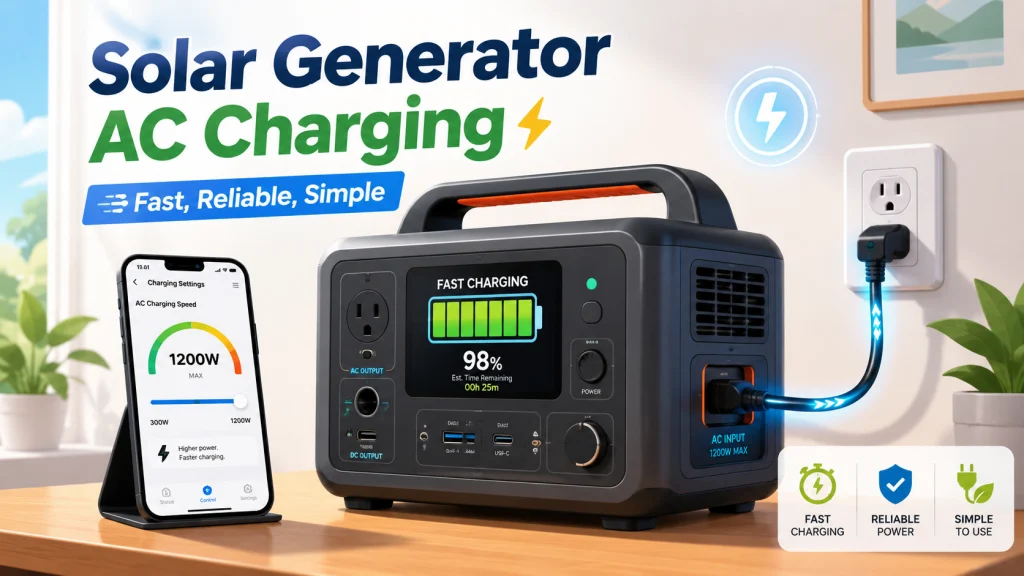
Why Wall Charging Should Be the First Method You Reach For
Of the three ways to charge a solar generator, AC wall charging is the most straightforward. You do not have to account for cloud cover, track panel angle, or wait for enough daylight. The rate is consistent, the process is passive, and for most people it is the best way to make sure the unit is at full capacity before you actually need it. That reliability is worth a lot when you are preparing ahead of a storm or heading out for a camping trip in the morning.
This article covers AC wall charging specifically: what the real times look like, what can go wrong with the settings around it, and how to think about charge level when the unit is not in use. If you want the full picture across all three charging methods, including how solar panel times compare and when the car DC port actually makes sense, the guide to charging a solar generator through every available input lays out the tradeoffs side by side. For now, here is everything about the wall outlet method.
Real AC Charge Times by Battery Class
Spec sheets list charge times, and for AC wall charging those numbers are generally close to accurate. Unlike solar, where real-world panel output is routinely 20 to 30 percent below the rated wattage, a wall outlet delivers power consistently at or near the unit’s rated AC input. The table below reflects real-world times from near-empty to full, not manufacturer best-case conditions.
| Battery class | Typical AC input rate | Approximate charge time (0 to 100%) |
|---|---|---|
| Around 500Wh | 200W | Approximately 2.5 hours |
| Around 1000Wh | 500W | Approximately 2 hours |
| Around 2000Wh | 1800W | Approximately 80 minutes |
The 2000Wh class surprises most people. At 1800W input, a two-kilowatt unit charges faster than a 500Wh unit does at 200W. The math works because the larger unit accepts about nine times the input power, so it can move far more energy into the battery each hour. A standard 15-amp household circuit is theoretically rated for about 1800W at 120V, but that assumes the circuit is not already carrying other loads. For high-rate charging near that limit, use a dedicated outlet when possible and reduce the AC charging speed in the app if the breaker trips or the plug feels warm.
These times assume the battery is starting near zero. If you are topping off from 50 percent, cut the estimate roughly in half. The other variable worth knowing: the final 15 to 20 percent of any charge cycle slows down deliberately. The battery management system reduces current as the battery approaches full to protect the cells, and that last stretch takes longer than the earlier portion. This is normal and expected behavior, not a sign that something is wrong.
For outage planning specifically, the more useful number is often 0 to 80 percent rather than 0 to 100. Most units recover the first 80 percent much faster than the final balancing stage, so a shorter wall charge before a storm still puts meaningful capacity in the unit even when time is short. Use the times above as ceiling numbers for full restoration planning, not as the only way to think about a pre-outage charge.

Weighing just 23.8 lbs with a foldable handle, this 1,070Wh LFP power station delivers 1,500W of pure sine wave AC output with a 3,000W surge capacity, capable of running AC units, fridges, and electric pots. Its LFP battery sustains over 70% capacity after 4,000 cycles, translating to a lifespan of more than 10 years. Via the Jackery App, you can enable a full charge in as little as one hour, or switch to a whisper-quiet 30 dB overnight mode. Six output ports including two USB-C with 100W PD charging cover nearly any device simultaneously.
Check On AmazonIf you click this link and buy, we earn a commission at no additional cost to you.
The App Setting That Makes Your Unit Look Like It Is Not Charging
Many solar generators include a companion app with an AC charging speed control. The intent is legitimate: charging at a lower rate reduces fan noise, which matters if the unit is near a bedroom or in a living space overnight. The problem is that the setting persists between sessions with no obvious reset and no notification. If you or someone else dragged the slider down to minimum or switched to a quiet mode and never changed it back, the unit will charge at a fraction of its rated speed, and nothing about the display or the charging indicator will tell you why.
Field Note: I ran into this more times than I can count at the shop. Someone would come back convinced their unit was defective because it had barely gained 15 percent after three hours on the wall. Almost every time, the app charging speed setting was the cause. They had toggled it down out of curiosity or for a quiet overnight charge and never reset it. The fix took ten seconds. The confusion had been going on for days.
If your unit is charging noticeably slower than the times in the table above and you have a companion app, check the charging speed or charging mode setting before anything else. Look for anything labeled “AC Charging Speed,” “Charging Mode,” “Silent Mode,” or similar, and verify it is set to the rate you actually want. If quiet charging is the goal, use the setting intentionally and reset it the next time you need a fast recharge. One more thing worth confirming: some units do not retain custom app settings after a firmware update. If you checked the setting once and assumed it would stay there, it may have reset without any notification after an update.
The easiest way to separate this from normal end-of-cycle slowdown is timing. The BMS current reduction happens only in the final stretch, when the battery is already above 80 or 85 percent. If charging is sluggish from the very start of a session, the app setting is almost certainly the cause. Check that before the cable, before the outlet, and before calling support.
Before You Plug In: The Checks Most Owners Skip
The cable and outlet situation deserves more attention than most owners give it. For high-rate charging, especially units pulling 1000W or more, use the AC charging cable or power adapter that came with the unit rather than a generic replacement. Third-party cables with thinner gauge wire can heat up under sustained high-current draw, and the connection point at the unit’s AC port is often where heat concentrates first. If your unit includes a dedicated wall adapter rather than a direct AC plug, use that adapter. An extension cord workaround introduces resistance that the adapter was not designed for.
Power strips and cheap extension cords are worth avoiding for any unit pulling above 500W. A standard household power strip is built to a lower tolerance than a wall outlet, and its internal wiring and connection points can become a bottleneck under sustained load. A thin, long extension cord adds resistance, which creates voltage drop and makes both the cord and the charging circuit run warmer than they should. If an extension cord is the only option, use a heavy-gauge cord rated for at least the unit’s AC input wattage and keep the run as short as possible.
In the first two to three minutes of a charging session, check the input watt reading if your unit displays it. Most modern solar generators show live AC input on the screen or in the companion app. The number should be close to the unit’s rated AC input. If it reads significantly lower than expected from the very start, that is your signal to check the app charging speed setting, the cable, and the outlet before assuming there is a fault. Catching a mismatch in the first few minutes is much better than returning three hours later to find the battery barely moved.

This 12-gauge SJTW cord is ETL/cETL listed and handles up to 15 amps, 125 volts, and 1,875 watts, making it suitable for circular saws, lawn mowers, and major appliances. IP65 waterproofing, heat resistance up to 158 degrees Fahrenheit, and flexibility down to -58 degrees Fahrenheit cover nearly any outdoor condition. A lighted end confirms live power, and strain relief on both ends plus a hookable socket add durability and convenience.
Check On AmazonIf you click this link and buy, we earn a commission at no additional cost to you.
Charging From a Gas Generator: Power Quality Is the Variable Most People Miss
A wall outlet in a home produces stable, clean AC power. A gas generator does not always do the same. Standard open-frame generators, the kind with a pull cord and no digital inverter stage, produce power with more variation than a household circuit. Some solar generators handle this without complaint. Others reject the charge entirely or charge erratically because the unit’s AC input circuitry expects the cleaner sine wave that a wall outlet provides.
If your unit refuses to accept a charge from a gas generator, or shows a charging error while connected, power quality is the most likely cause. An inverter generator solves the problem. Inverter generators use digital electronics to produce a stable, clean sine wave, which is consistently compatible with sensitive electronics and solar generator charge controllers. They are quieter and more fuel-efficient than open-frame models, though they cost more. For occasional emergency use, most owners are better off prioritizing wall charging when grid power is restored rather than relying on a gas generator as a primary charge source.
If gas generator charging is part of your actual outage plan, test the combination before you need it. Plug the solar generator into the gas generator while both are accessible and confirm that the unit accepts the charge at its normal rate. Discovering an incompatibility during an outage, when the wall has been down for two days, is not the time to find out.

This compact 79.7cc 4-stroke OHV generator delivers 2,000 surge watts and 1,600 rated watts of clean inverter power, safe for sensitive electronics like phones, laptops, and TVs. At 53 dB and 48 lbs it is quiet and portable enough for campgrounds, tailgates, and job sites. Output includes two 120V AC outlets, one 12V DC receptacle, and a 5V USB port, and it meets both EPA III and CARB emissions standards.
Check On AmazonIf you click this link and buy, we earn a commission at no additional cost to you.
How Full Should the Battery Be When You Put It Away?
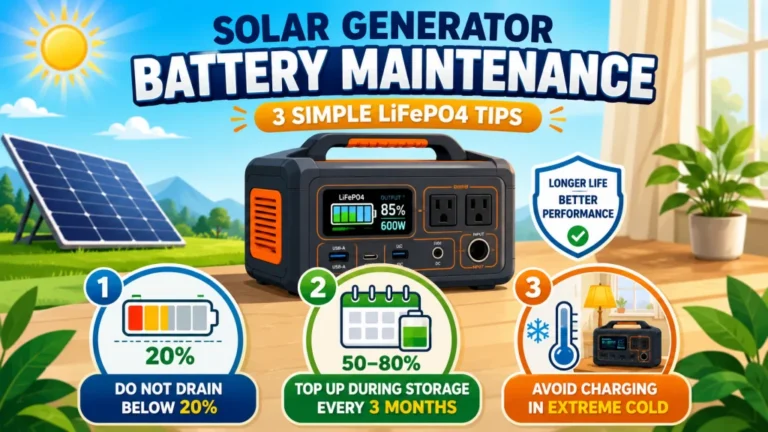
The right charge level for storage depends on how you actually use the unit. For a solar generator that sees regular use between camping trips or stored as a standby for outages, LiFePO4 batteries held at 100 percent for extended periods between uses experience more voltage stress than batteries held at a moderate state of charge. Eighty percent is the practical target for routine storage: enough capacity to be immediately useful, low enough to reduce the sustained voltage load on the cells.
- Regular use, stored between trips: Charge to around 80 percent. No need to hit 100 every time unless you know you will need full capacity on the next use.
- Emergency prep, stored long-term: Charge to 100 percent, then top off every three months. LiFePO4 self-discharge is low, around 1 to 3 percent per month, but three months is long enough to lose meaningful capacity if you started below full.
- Extended storage of a year or more: Store at around 50 percent in a temperature-controlled space. A fully charged or fully depleted LiFePO4 battery sitting unused for a year degrades faster than one held at mid-charge.
- Before a known outage: Charge to 100 percent regardless of your usual routine. When you actually need the unit, you want everything it has.
The variable most owners underestimate is temperature. A LiFePO4 unit stored in a garage that drops below freezing in winter will not accept a charge below 32 degrees Fahrenheit, and it delivers less usable capacity even when it looks fully charged. If your storage space gets cold seasonally, move the unit indoors before temperatures drop. This is not just a charging limitation: a battery that repeatedly experiences deep cold while at a high state of charge accumulates degradation faster than one stored at room temperature. Charge level habits are one part of a longer set of decisions that determine how a unit performs years from now, which the guide to operating a solar generator correctly through long-term ownership covers from first charge onward.

Starting at 2kWh and expandable to 6kWh with two additional batteries, this LFP station reaches 80% in just 43 minutes via combined AC and solar input. Its 3,000-cycle battery outlasts the industry average by 6 times and includes a 5-year service guarantee. With 2,400W output across 15 outlets and X-Boost pushing to 3,400W, it handles 99% of household appliances at a whisper-quiet 30 dB.
Check On AmazonIf you click this link and buy, we earn a commission at no additional cost to you.
Final Thoughts: The Method Is Simple, the Settings Are Where It Gets Complicated
Wall outlet charging is the most reliable charging method available for a solar generator, and for most situations it is the right starting point. The actual times are reasonable across every battery class, the process asks almost nothing of the owner, and the variables are far easier to control than with solar or car DC. What trips people up is consistently the settings around the charging, not the charging itself. An app speed setting left at minimum turns a functional unit into one that looks broken. A gas generator without a clean output causes a charge failure that looks like a hardware fault. Neither is a defect in the unit, and both are found and fixed in minutes once you know to look for them.
Understand the app settings before relying on the unit for something important, test your gas generator combination ahead of time if that is part of your outage plan, and match the storage charge level to how you actually use the unit. Most of what separates a well-managed solar generator from one that underperforms comes down to those three habits, applied consistently from the beginning.
FAQs
⚡ How long does it take to charge a solar generator from a wall outlet?
It depends on battery capacity and the unit’s rated AC input. A 500Wh unit at 200W input takes approximately 2.5 hours. A 1000Wh unit at 500W takes around 2 hours. A 2000Wh unit at 1800W input charges in approximately 80 minutes. These are real-world times from near-empty to full, not manufacturer best-case figures.
🔌 Can I plug my solar generator into any standard household outlet?
Yes, for most units. A standard 15-amp circuit is theoretically rated for about 1800W at 120V, but that assumes the circuit is not already carrying other loads. Units with AC input ratings above 1800W may need a 20-amp circuit. For anything charging near the 1800W limit, use a dedicated outlet when possible and reduce the AC charging speed in the app if the breaker trips or the plug feels warm.
🐢 Why is my solar generator charging slowly from the wall?
The most common cause is the AC charging speed setting in the companion app being set to a low value or a silent mode. Open the app and check for any charging speed or charging mode setting, and verify it is at the rate you intend. If the setting looks correct, check the cable connection and try a different outlet before assuming a hardware fault.
🔋 Is it bad to leave my solar generator plugged in all the time?
Most modern solar generators with LiFePO4 batteries switch to a maintenance or trickle mode once full, so the overcharging risk is low. That said, keeping a LiFePO4 battery at 100 percent continuously over weeks adds some long-term voltage stress to the cells. For everyday storage, charging to around 80 percent and unplugging is better for long-term battery health.
⛽ Can I charge my solar generator from a gas generator?
Sometimes, but not always reliably. Standard open-frame gas generators produce inconsistent AC output that some solar generators reject. An inverter generator produces a cleaner sine wave and is generally compatible. Test the combination before you need it during an actual outage, and if your unit refuses to charge from a standard gas generator, an inverter generator is the solution.
🌡️ Does cold temperature affect AC charging?
Yes. LiFePO4 batteries will not accept any charge below 32 degrees Fahrenheit. If the unit was stored in a cold garage, bring it to room temperature for one to two hours before plugging in. Between 32 and room temperature, charging may proceed at a reduced rate. When possible, charge indoors in a temperature-controlled space.